Repositories
Keep every repository in view
See the repositories that support a goal in one place, then choose the right checkout when it is time to work.
 Pi Workspace
Open source · Public beta
Pi Workspace is a local desktop app for working with Pi across Git repositories and long-running goals. Plan, implement and pick up where you left off.
macOS 12+ · Debian 12 or 13 · Free to use
The actual workspace
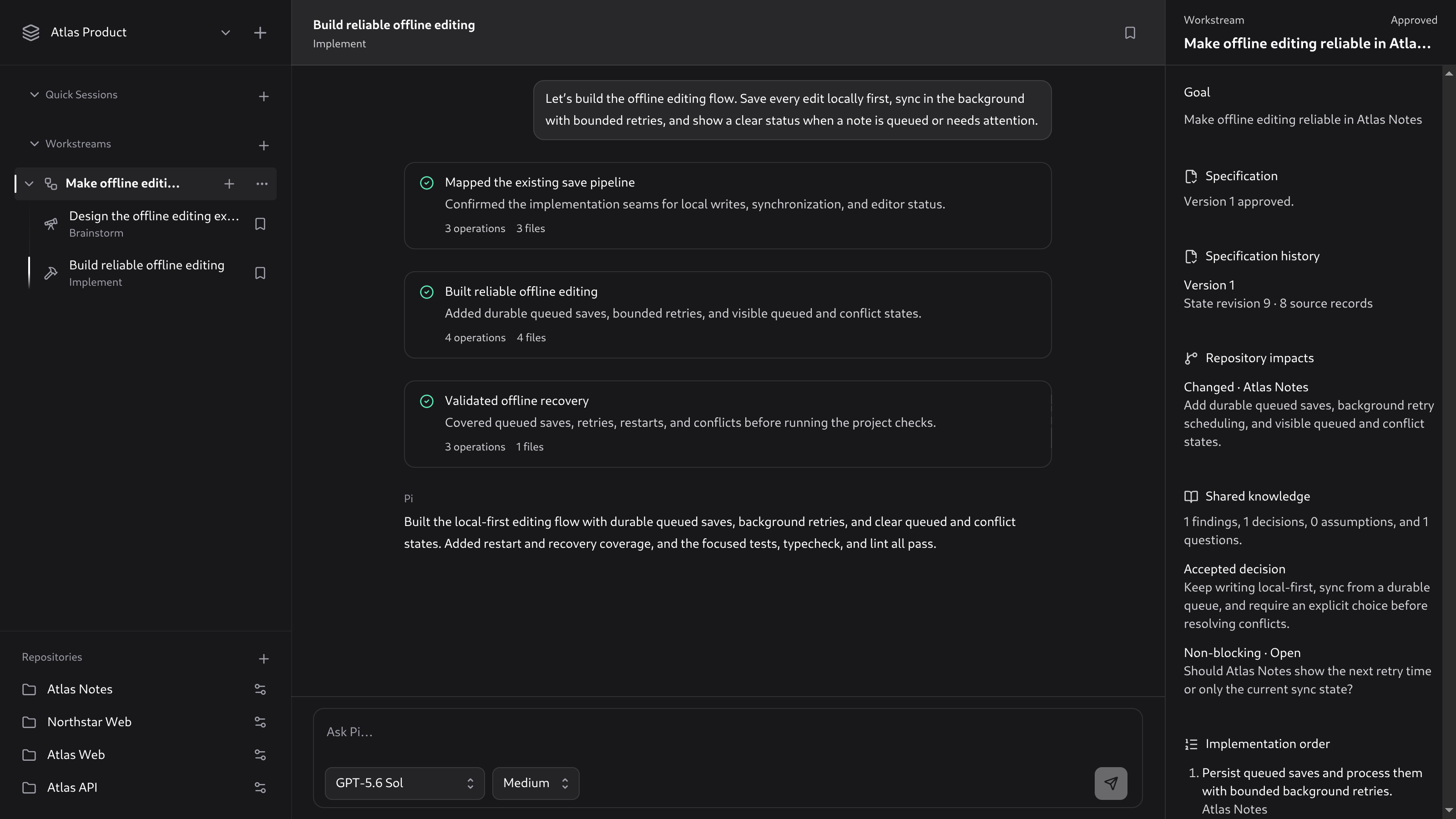
Designed for continuity
Pi Workspace adds a durable layer around Pi, so repositories, Sessions and shared Workstream context stay connected to the goal they serve.
Repositories
See the repositories that support a goal in one place, then choose the right checkout when it is time to work.
Workspaces
Group related Git repositories into a Workspace. Give a Workstream one goal, then carry its context across Brainstorm and Implement Sessions.
Activity cards
Agent Activities group related reads, edits and commands around a clear outcome. Expand one whenever you need the underlying operations.
Choose the right boundary
Work directly in one Repository checkout or a dedicated worktree.
Investigate every Repository in a Workspace and shape an implementation-ready plan.
Change and validate the Repositories needed to pursue the Workstream goal.
Public beta
Pi Workspace uses the provider configuration from Pi CLI. It has no hosted Pi Workspace account, analytics or crash-reporting service.
Install Pi CLI, run pi and use /login to connect a provider.
Download the universal macOS DMG or the x86_64 Debian package from GitHub Releases.
Pi runs with your normal user permissions. Treat agent operations as carefully as shell commands.